
Opera Mini beta
Screenshots
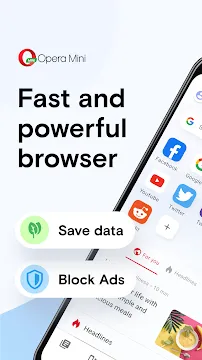
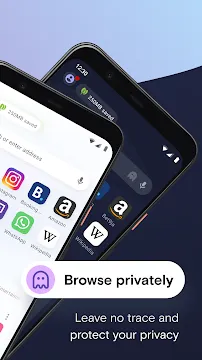
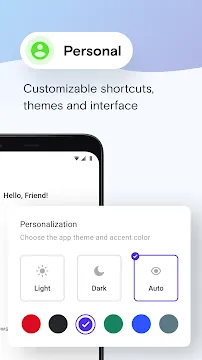
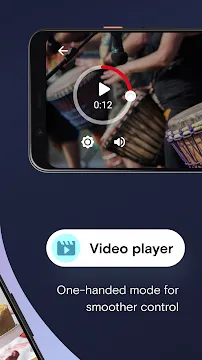
Opera Mini beta offers mobile web users an early look at upcoming browser tools and enhancements. By installing this application, you can test experimental features before they reach the public version. Moreover, you experience fast loading speeds while exploring your favorite websites.
Many mobile users prefer this application because it emphasizes efficient data savings. For example, the internal compression technology reduces web page sizes dramatically. Consequently, you can browse the internet smoothly even on slow mobile networks.
The development team frequently updates this software version to eliminate glitches. Therefore, user feedback plays a massive role in shaping the final stable updates. By participating in this testing phase, you help improve mobile web technology.
Why You Should Choose Opera Mini beta
Firstly, this application grants you direct access to highly innovative mobile browsing tools. Developers use this specific platform to trial new ideas and gather real-world data. Thus, your daily browsing habits help the engineering team refine web performance.
Secondly, the browser requires very little storage space on your device. As a result, it leaves plenty of room for your photos and personal applications. You will never have to worry about low storage warnings from this app.
Furthermore, the application functions perfectly on low-spec hardware and older devices. Traditional mobile browsers often require significant RAM and processing power to run. However, this lightweight alternative reduces the strain on your phone processor.
In addition, the user interface remains incredibly clean and easy to navigate. Finding your bookmarks, download history, and privacy settings requires just a few taps. In short, it offers great speed without sacrificing usability.
Core Features of Opera Mini beta
This specialized testing version includes several creative functions that enhance your web navigation. Below, we examine the essential components that make this application highly reliable.
Advanced Data Saving Modes
The system compresses heavy media files before they arrive at your mobile device. For instance, it shrinks oversized graphics and strips away unnecessary script files. In other words, you consume less data while visiting content-heavy platforms.
Most importantly, data compression increases the overall speed of web page loading. Because smaller files travel faster across mobile networks, pages open quickly. Therefore, you save money on your monthly data subscription plan.
You can easily change the compression level inside the configuration panel. The High option preserves visual layouts while saving moderate amounts of data. Meanwhile, the Extreme option maximizes data conservation for weak network areas.
Built-in Advertisement Blocker
Intrusive advertisements frequently disrupt your reading and slow down your mobile device. Fortunately, this browser contains an excellent integrated tool to block advertisements. It actively prevents pop-ups and video ads from loading on the screen.
As a result, clean web pages load significantly faster than usual. Additionally, blocking advertising content saves substantial amounts of cellular data. You no longer pay for downloading unwanted marketing banners or tracking scripts.
The blocker functions automatically without requiring extra downloads or complicated setups. You do not need to look for third-party extensions to clean your screen. Simply activate the option to enjoy an ad-free web environment instantly.
Tailored News Feed
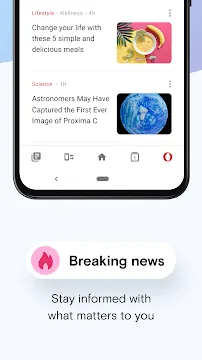
The home screen displays a curated news section powered by smart learning algorithms. It carefully evaluates your reading habits to understand your personal preferences. Then, it provides relevant news stories and global trends directly on your dashboard.
You can easily refine the news feed by selecting preferred topics. For example, you can toggle categories like technology, sports, entertainment, or finance. Consequently, you stay informed about world events without visiting separate news outlets.
The application refreshes this news content continuously throughout the daytime hours. That is to say, you always receive the freshest information as it happens. It offers a quick way to catch up during your daily commutes.
Direct Offline File Transfer
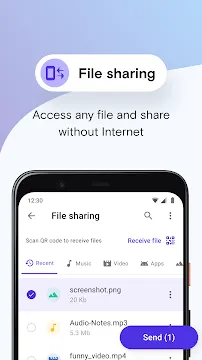
Sharing files with nearby friends usually demands a working internet connection. However, this web browser features an offline file-sharing mechanism to solve this problem. It lets you send pictures, clips, and songs without consuming cellular data.
The browser creates a secure local network between the two mobile devices. Firstly, you choose the files you want to transmit to your friend. Secondly, the recipient scans a dynamic QR code to start the transfer.
This local sharing tool transfers data at remarkably fast rates. It easily outpaces standard Bluetooth connections during large file transfers. Above all, it protects your privacy because the data never travels online.
Protective Night Mode
Reading web pages in dark rooms can cause severe strain to your eyes. To fix this, the design team included a customizable night mode function. It reduces screen glare and changes color warmth to safeguard your vision.
Furthermore, you can fine-tune the illumination settings to match your surroundings perfectly. This feature minimizes eye fatigue during late-night study or reading sessions. Likewise, it reduces power consumption on modern high-efficiency mobile display panels.
You can also program the night mode to activate on a schedule. For instance, set the browser to dim the screen automatically at bedtime. This custom automation ensures a comfortable viewing experience without manual effort.
Smart Download Controller
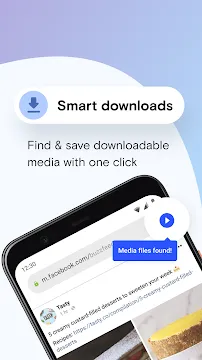
Managing numerous simultaneous downloads becomes simple with the built-in download tool. It processes large files reliably and features an automatic download resumption capability. If your signal drops, the download pauses instead of failing completely.
Then, the utility restarts the download automatically when the connection returns. Moreover, you can arrange your files into distinct storage folders. This layout allows you to locate documents, music, and images very quickly.
The controller also carries out download tasks quietly in the background. Therefore, you can check emails or play games while files download. The system drops a notification when the download reaches completion.
Integrated Offline Page Saver
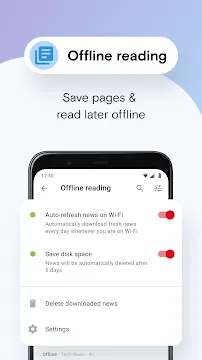
Sometimes you find an interesting article but lack time to read it. This browser allows you to save full web pages directly to your storage. Subsequently, you can read the text without using any network connection.
This capability helps commuters who travel through underground transit systems frequently. You can store multiple educational essays while connected to your home network. Then, you enjoy uninterrupted reading during your morning commute.
The offline pages maintain their original style, fonts, and inline images. As a result, you get a clean reading experience without connectivity worries. It removes the frustration of broken links when you go off the grid.
How to Download and Install Opera Mini beta APK
You can easily obtain the browser by getting the APK file from our webpage. We offer authentic, clean, and completely unmodified files for web users. Follow these straightforward steps to finalize the installation process on your device.
Firstly, navigate to the specific download section located on our site. Click the designated download button to save the package to your storage. Meanwhile, confirm that your smartphone has enough empty space for the file.
Secondly, authorize installations from unknown sources inside your security settings panel. Open the primary settings menu and find the privacy or applications sub-menu. Toggle the switch to permit manual installation of external application files.
Thirdly, open your default file management application to find the file. Tap the downloaded APK file to activate the automatic installer wizard. Pay attention to the prompts and grant the necessary software permissions.
Finally, allow the installation script a few moments to copy files. Once the process concludes, the browser icon will appear on your screen. Tap the icon to initiate the browser and start surfing instantly.
Our platform guarantees an excellent download experience by using high-speed data servers. We update our application files immediately when developers issue new updates. Thus, you always receive the newest experimental tools without long delays.
Advanced Tips to Maximize Opera Mini beta Performance
To experience maximum performance, you should configure the internal options correctly. Here are several valuable techniques to boost speed and reduce data use:
- Manage Compression Profiles: Change compression levels when network conditions shift. Use Extreme mode for weak cellular signals. Switch to High mode for stable connections.
- Purge Application Cache: Empty your system cache regularly to reclaim memory. This action prevents the browser from lagging over time. It also deletes temporary files.
- Watch the Savings Tracker: Keep the data savings graph active on your screen. This tool displays your weekly data reduction metrics. It helps you manage limited data plans.
- Queue Large Files: Delay major download tasks until you connect to Wi-Fi. The download manager lets you pause tasks easily. Then, resume them near a hotspot.
- Disable Visual Elements: Turn off image rendering when reading text articles. This adjustment allows pages to load almost instantaneously. It prevents data waste on graphics.
- Arrange Speed Dial Links: Put your regular web destinations onto the home page. Group related shortcuts together for fast access. This setup eliminates manual typing errors.
Conclusion
To sum up, Opera Mini beta provides an exceptional mix of speed and economy. It gives curious users an opportunity to trial new technologies early. At the same time, it maintains stable operation for daily internet browsing.
If you require a compact application that stops advertisements, try this option. Download the latest APK file from our webpage to start your upgrade. Enjoy faster speeds, lower phone bills, and clean browsing right now.